GUIs
Presently, the package provides only one GUI. Future versions would most likely include extra submodules that will make it possible to download and use other versions (e.g. a web-based GUI).
Abstract GUI
Added in version 0.7.
Every GUI subclasses AbstractGUI and has common functionality such as
and has more complex builtin functionality as a composition of these such as
run_step()which displays the game, waits for user input, displays the action, and finally displays the winners at the end.
from_history()which allows you to view the history, moving forward from user prompting.
Instantiate GUIs with an optional game instance and pass in options such as
enable_animationto turn animations on and off
no_waitto prevent the GUI from blocking (e.g. waiting to end the game)
Text GUI
Changed in version 0.7.
The TextGUI class comes pre-shipped with the package with no extra
dependencies by using the curses standard library module.
Below, we’ll discuss the different usages of GUIs in general using the Text GUI which can be applied
to any future GUI.
Warning
The curses standard library module is only fully supported for Unix / Linux / MacOS. For Windows users, the package will install an extra 3rd party dependency windows-curses to make it compatible. Some features may not be fully supported due to OS restrictions (e.g. resizing during the game).
Because of the dependency on windows-curses, only python 3.10 or lower is supported for Windows.
Example Usage
To play with default settings where you can see every players’ cards and take turns for each one:
from texasholdem.game.game import TexasHoldEm
from texasholdem.gui.text_gui import TextGUI

game = TexasHoldEm(buyin=500, big_blind=5, small_blind=2, max_players=6)
gui = TextGUI(game=game)

while game.is_game_running():
    game.start_hand()

    while game.is_hand_running():
        gui.run_step()

    path = game.export_history('./pgns')     # save history
    gui.replay_history(path)                 # replay history
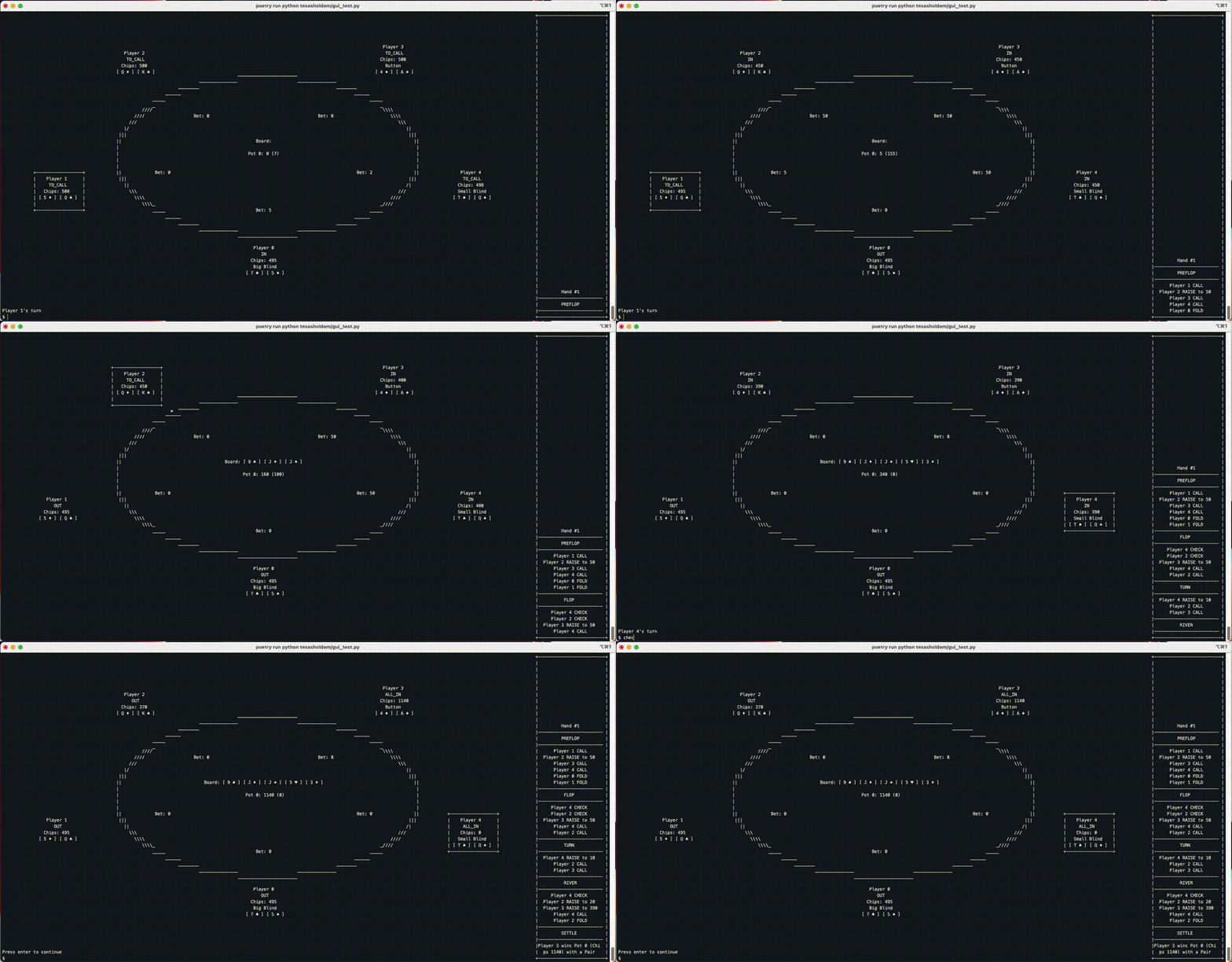
Breaking Down the Steps
Breaking it down for granularity, this is equivalent to the following:
from texasholdem.game.game import TexasHoldEm
from texasholdem.gui.text_gui import TextGUI

game = TexasHoldEm(buyin=500, big_blind=5, small_blind=2, max_players=6)
gui = TextGUI(game=game)

while game.is_game_running():
    game.start_hand()

    while game.is_hand_running():
        gui.display_state()

        # Prompt for action input until valid
        while True:
            try:
                gui.prompt_input()
                action, total = gui.accept_input()
                game.validate_move(action=action,
                                   total=total,
                                   throws=True)
                break
            except ValueError as err:
                gui.display_error(str(err))
                continue

        game.take_action(action, total=total)

        gui.display_action()                    # display latest action

    gui.display_win()                           # announce winner
Watching Agents Play
So one can easily swap the user input section to watch agents play each other:
from texasholdem.game.game import TexasHoldEm
from texasholdem.gui.text_gui import TextGUI
from texasholdem.agents.basic import random_agent

game = TexasHoldEm(buyin=500, big_blind=5, small_blind=2, max_players=6)
gui = TextGUI(game=game)

while game.is_game_running():
    game.start_hand()

    while game.is_hand_running():
        gui.display_state()
        gui.wait_until_prompted()

        game.take_action(*random_agent(game))
        gui.display_action()

    gui.display_win()
Playing with Agents
Or play with agents and only see your own cards with minor tweaking by setting
visible_players and an if-then statement in the hand loop:
from texasholdem.game.game import TexasHoldEm
from texasholdem.gui.text_gui import TextGUI
from texasholdem.agents.basic import random_agent

game = TexasHoldEm(buyin=500, big_blind=5, small_blind=2, max_players=6)
gui = TextGUI(game=game,
              visible_players=[0])

while game.is_game_running():
    game.start_hand()

    while game.is_hand_running():
        if game.current_player == 0:
            gui.run_step()
        else:
            gui.display_state()
            gui.wait_until_prompted()

            game.take_action(*random_agent(game))
            gui.display_action()

    gui.display_win()
Text GUI Specific Info
The Text GUI relies on user typing for actions and includes a few vanity commands for ease of use.
In addition to check, call, fold, you can also specify raise 50 or raise to 50
(which mean the same thing at this point but will be changed in 1.0).
There’s also a few commands including quit or exit to exit the GUI.